
Drivers
Discuss what motivates someone at work.
No jargon or cryptic scores. One report that both recruitment and the hiring manager understand immediately.
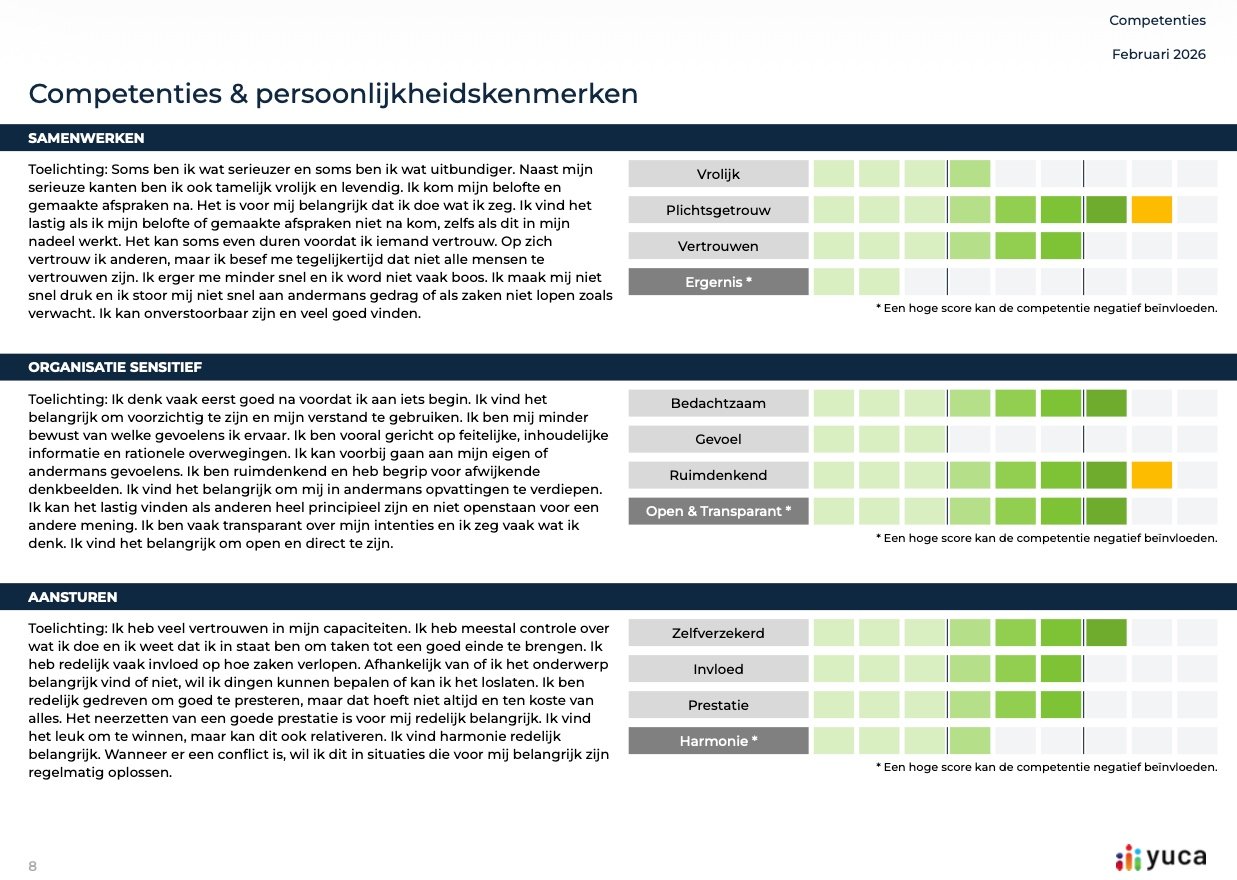
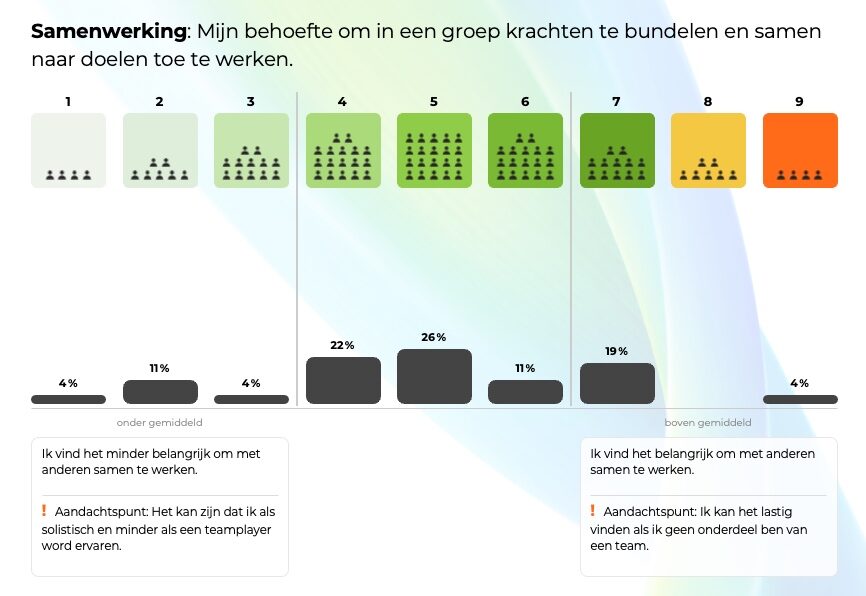
Candidate and assessment management in the portal, with clear reports showing scores on a 1–9 distribution.
Discuss what motivates someone at work.
Consider behaviour patterns in relation to the role and work environment.
Compare cognitive scores with the relevant reference level, if this module was included.
Strengths and areas for attention help guide your follow-up conversation. Discuss the results with the candidate and consider the scores in the context of the work.
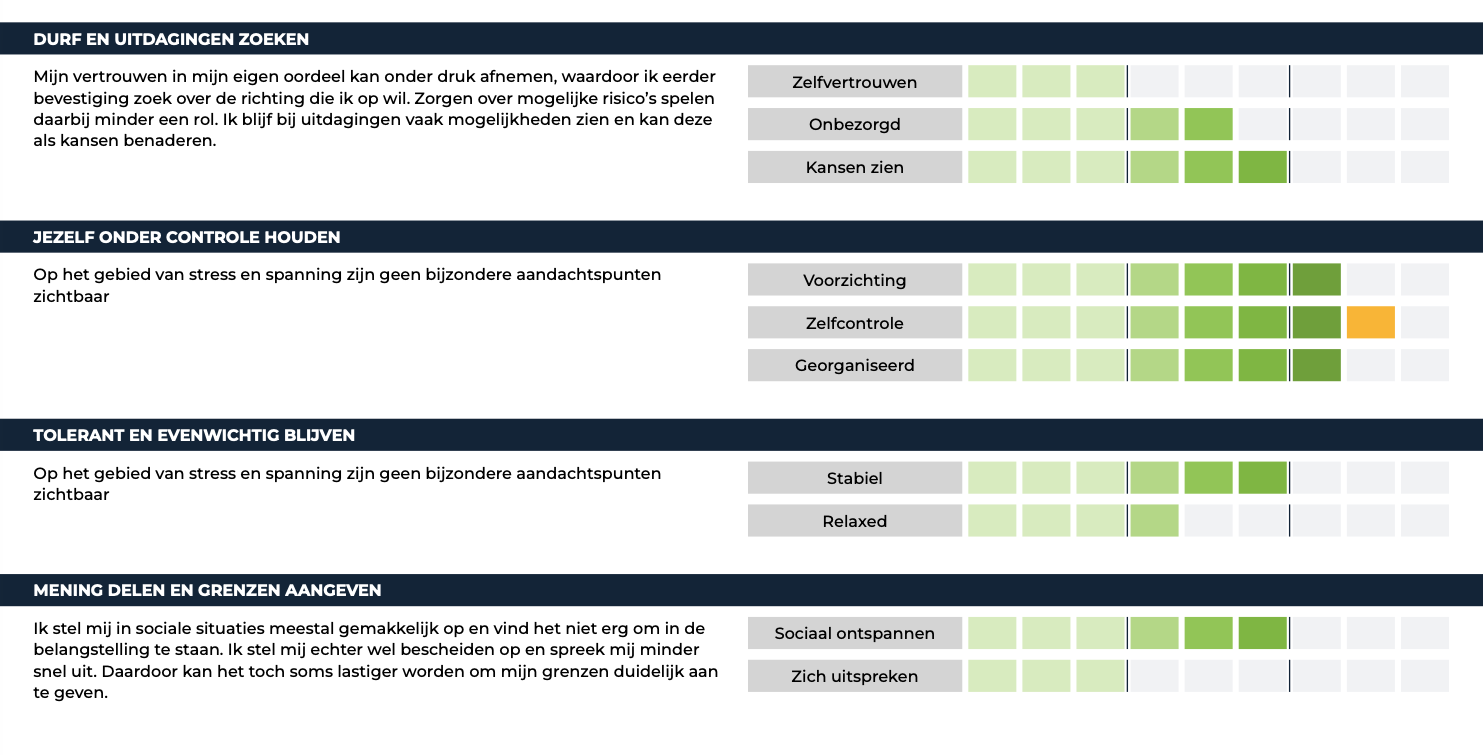
Candidate and assessment management in the portal, with clear reports showing scores on a 1–9 distribution.
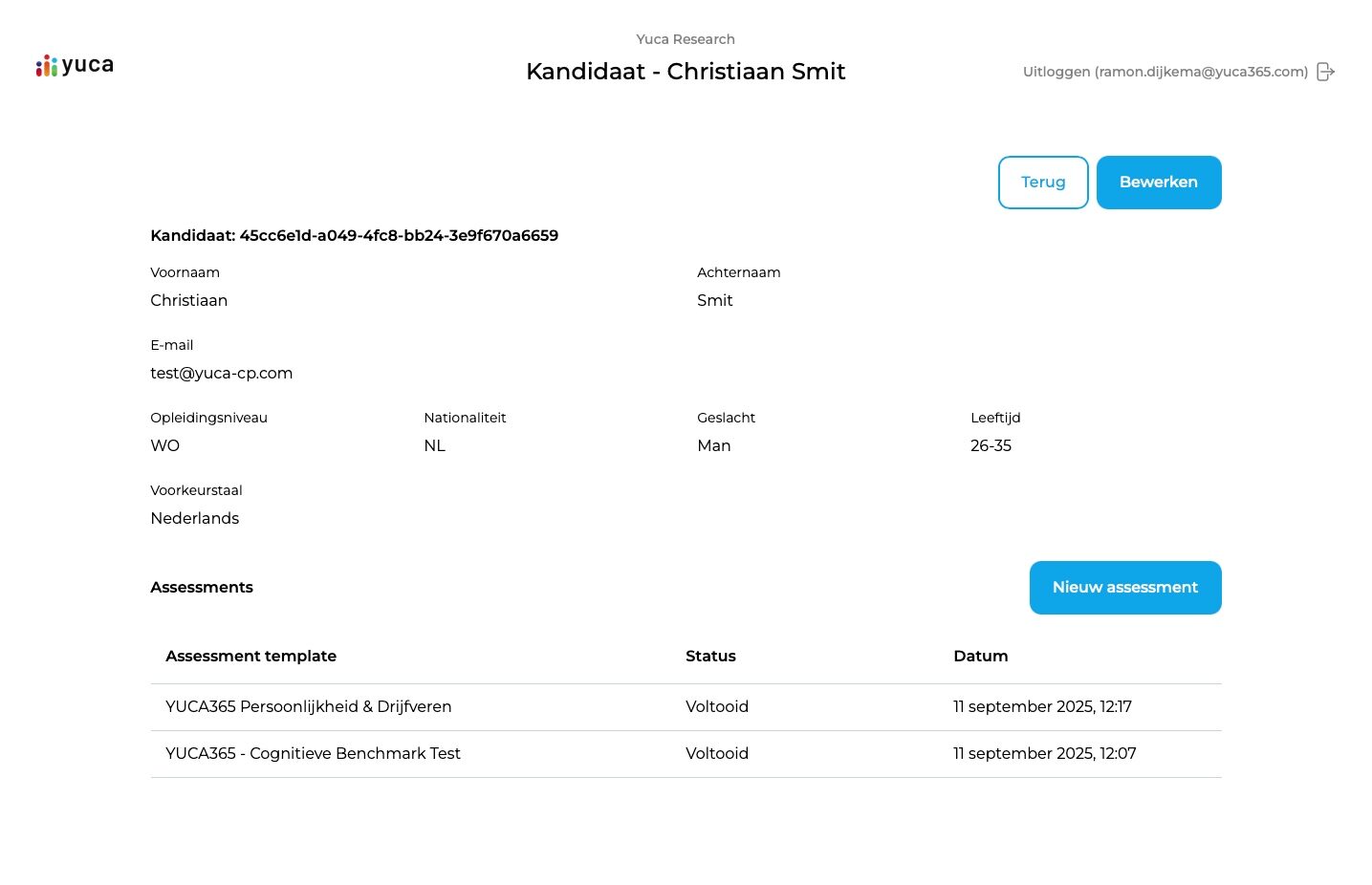
Add a candidate in the portal and send the invitation. They receive a personal link and language choice.
Drivers, personality and cognitive ability. Completed in up to 45 minutes, on laptop or tablet.
A clear report with 1–9 scores, recognisable language and explicit attention points.
Run the second interview or build a development plan with the right questions on the table.
Combine individual reports into a team overview. See at a glance how competencies and personality traits are distributed — from below average to above average on the 1–9 scale. Useful for team development, filling vacancies, or spotting attention points in collaboration and leadership.
The maximum duration of an assessment is 45 minutes, depending on the modules selected. Can be done in one sitting or in parts.
Cognitive scores are compared to the norm for vocational, applied and university level. You choose the relevant reference level per candidate.
YUCA365 is GDPR-compliant. Data is processed within the EU and candidates can view their own report. A standard data processing agreement is available.
Yes. Candidates choose their preferred language: Dutch or English.
No. yuca365 strengthens the team's judgement with measurable signals. The decision stays with the human.
Yes, via Yuca Direct. You order a single assessment without a portal or subscription.